Contingency analysis (N-1 screening) in Electrisim
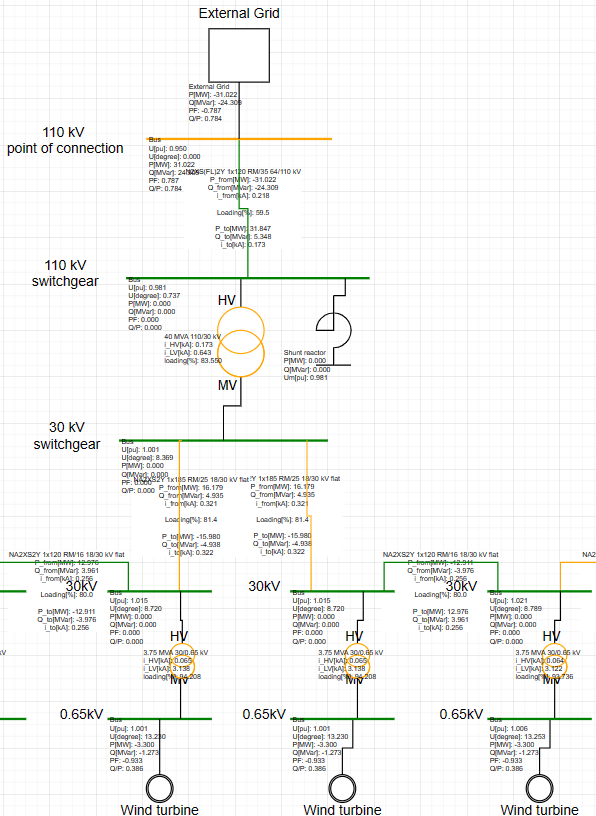
Contingency analysis takes equipment out of service one piece at a time, runs AC load flow, and flags thermal or voltage violations. Today this is single-outage (N-1 style) only — not N-2 or selected subsets yet.
Where to find it: Simulate → Contingency Analysis. Requires a subscription. Confirm base load flow converges first. Reference: Contingency analysis in documentation.
When to use
- N-1 screening for overloads and voltage excursions
- Ranking outages by violation count
- A worst-case snapshot for reinforcement discussions
How to run
- Build and solve a normal load flow so the base case converges.
- Ensure each busbar has numeric nominal voltage
vn_kv(kV). - Click Simulate → Contingency Analysis.
- Set element type, voltage and thermal limits, and thresholds, then Analyze.
- Use filters, expandable rows, worst-case snapshot, and CSV export.
Current limits: Only one element is outaged at a time (line, two-winding transformer, or synchronous generator). N-2 and redispatch options in the dialog are reserved for later releases.
Screen contingencies after a converged base case: app.electrisim.com.
Related: PSS/E alternative (transmission workflows), Data center interconnection (includes capped N-1-1 screening), and contingency tutorial video.